
Winbetin App Download Kenya
The Winbetin app gives players in Kenya convenient access to the platform directly from their Android smartphones. Download and install the APK to enjoy a mobile experience designed for quick, easy access to your Winbetin account.
The Winbetin Mobile App
The Winbetin app is the newer way to play. It is offered directly on winbetin.com, and the official site has been inviting players to move across from the older browser version to the app.
Its biggest practical advantage is size. At under 3 MB, the download takes little data and little storage, which matters on a bundle or on a phone that is already full of photos and messages. Once installed, Winbetin sits on your home screen and opens straight into the platform, with no need to type an address or look for a bookmark.
Everything runs on your account and your Kenyan mobile number: the games, the balance in shillings, M-Pesa deposits and the reward panel.

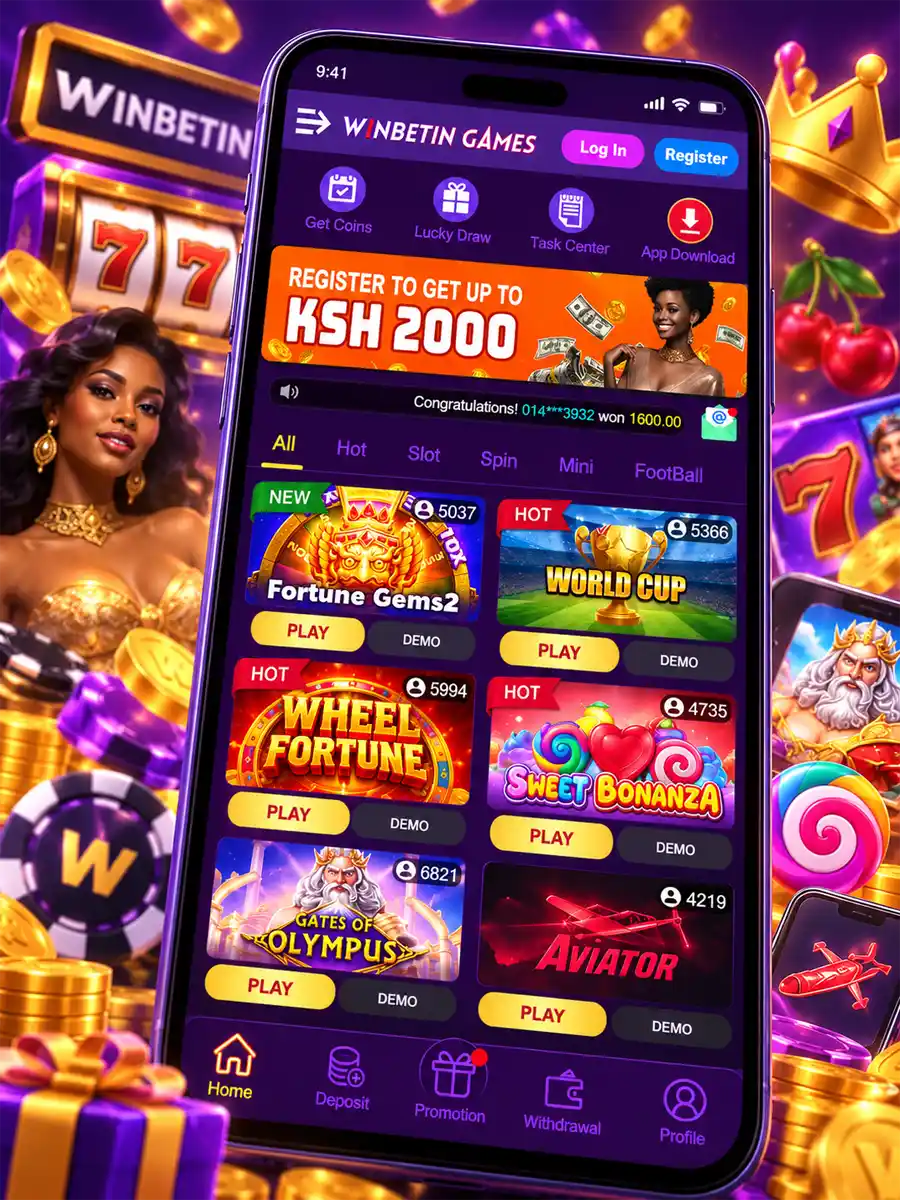
How to Download the Winbetin APK
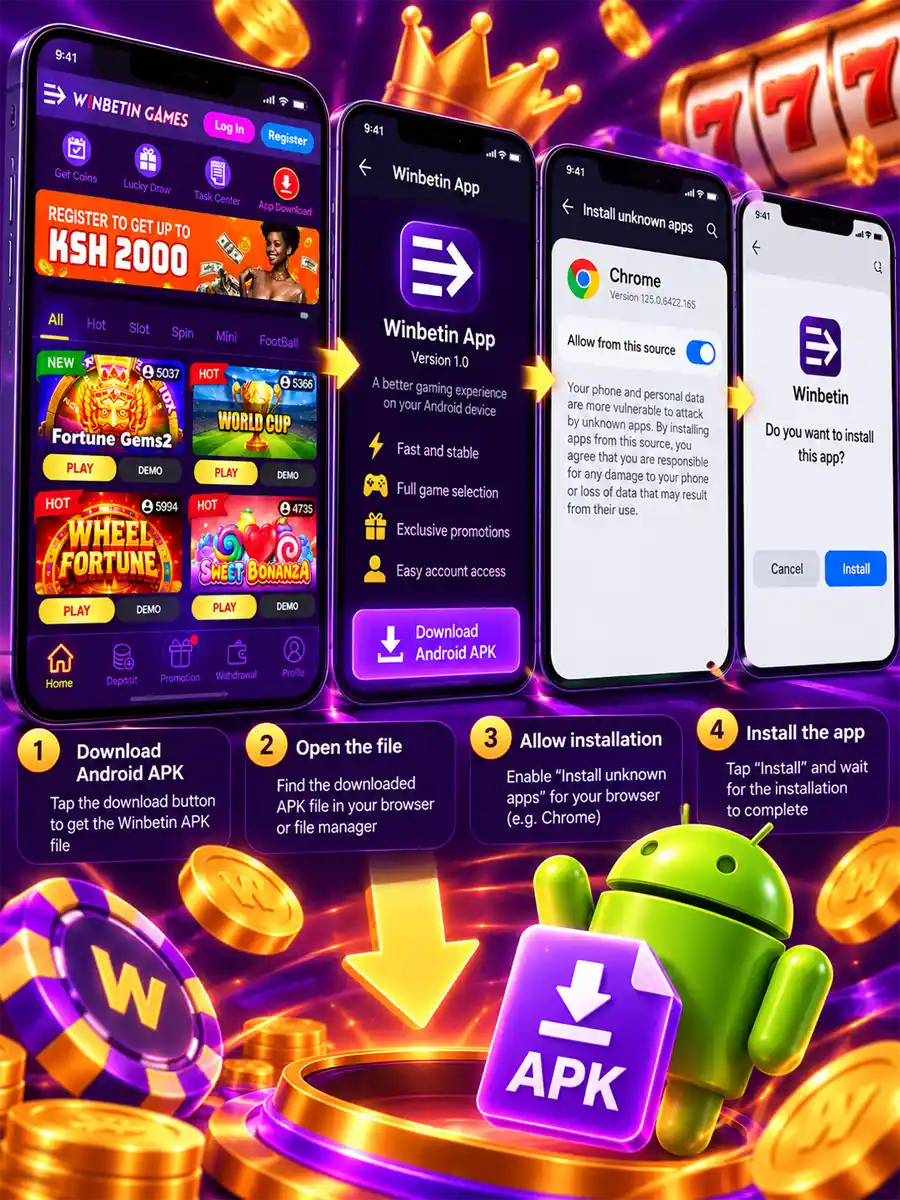
The app is distributed as an APK file straight from the official website. Download it on the Android phone you plan to play on, so there is nothing to transfer afterwards.
-
Open winbetin.com
Use the browser on your phone and go to the official address. The Download App button on this page takes you there.
-
Start the app download
Tap the app download on the site. Your browser may ask you to confirm that you want to keep the file. Confirm it.
-
Find the APK file
When the download completes, open the file from the notification bar or from the Downloads folder of your browser or file manager.
Installing the App on Android
Android treats any app that does not come from the Play Store with extra caution, so the first install of the Winbetin APK includes one permission step. It takes a few seconds.
Allow installs from your browser
When you open the APK, Android shows a notice that your browser is not allowed to install apps. Tap Settings in that notice and switch on the permission, which is usually called Install unknown apps or Allow from this source. On older phones the same option sits under Security as Unknown sources. You give this permission to the app you downloaded with, such as Chrome, not to the whole phone.
Install and open Winbetin
Go back, tap Install and wait for the confirmation. The Winbetin icon appears in your app list, and you can tap Open straight away. After installing, you can switch the browser permission off again; the app stays on the phone.
Updating the app
An APK installed from a website does not update itself through the Play Store. When Winbetin releases a new version, download it from winbetin.com in the same way and install it over the current one.
What You Get in the Winbetin App
The app keeps the parts of Winbetin you use every day one tap apart.
The games lobby
The Winbetin catalogue of slots and quick games, opened from the home screen of your phone. The full list of titles is on the games page.
Your account and balance
Sign in once with your mobile number and password and your balance in Kenyan shillings is in front of you whenever you open the app.
Deposits in shillings
Top up through M-Pesa from inside the app, with amounts shown in KES. Deposit and withdrawal details are covered on Payment Methods.
Check-in rewards
The reward panel tracks your daily check-in, the coin timer and your turnover for the day, so you can see your progress without searching for it.
Signing In After Installation
Open the app and log in with the Kenyan mobile number and password on your Winbetin account. New players can create an account with their phone number and confirm it with an SMS code. Use the number that is active on M-Pesa, because the same number is used for payments.
If you have forgotten your password, recover it with your mobile number instead of opening a second account. Step-by-step help with sign-in, registration and recovery is on the Login & Registration page.
Old Winbetin App
Many players still search for the old Winbetin app. That name usually refers to the app promoted inside the earlier browser lobby at old.winbetin.com, where a banner invited players to download the app for a better game experience.
Winbetin has since moved to the new app on winbetin.com and asked players to switch, with a notice that the old version would close. If you installed the earlier app some time ago, the current download from winbetin.com is the version to use now.
Playing on the older version
The old lobby still opens in a mobile browser at old.winbetin.com, without any installation. Sign in with the mobile number you registered there.
Using Winbetin on iPhone
The download on winbetin.com is the Android app. On an iPhone, open winbetin.com in Safari and sign in from the browser.
To reach it as quickly as an app, tap the Share button in Safari and choose Add to Home Screen. A Winbetin shortcut then sits next to your other apps.
APK Download and Installation Problems
Most trouble with the Winbetin APK comes from phone settings, storage or an interrupted download rather than from the app itself. Find your situation below.
The download does not start
Check that your data or Wi-Fi is working and that the browser is allowed to save files. Some browsers block downloads in data-saver or private mode, so try a normal tab in Chrome. Then open winbetin.com again and repeat the download.
“There was a problem parsing the package”
This message almost always means the file was not downloaded completely. Delete the APK from your Downloads folder, make sure the connection is stable and download it again from winbetin.com.
“App not installed” or the Install button is greyed out
The browser has not been given permission to install apps. Open Settings, find Install unknown apps, choose the browser you used and switch the permission on. If an older version of Winbetin is already on the phone and the install still fails, uninstall it first and try again.
Not enough storage
The app itself is small, but Android needs some free space to unpack it. Clear old files or unused apps and run the install again.
A security warning appears
Android and Play Protect warn about apps from outside the Play Store as a standard precaution. If the file came from winbetin.com, you can continue. If it came from anywhere else, cancel the install.
The app opens but you cannot sign in
Check the mobile number and password on your account, and make sure you have a working connection. If the password is lost, use recovery with your number. Help with account access is on the login page.
Download only from winbetin.com
APK files shared in groups, chats or on file-hosting sites may not be the real Winbetin app. Use the official site for every download and update, and never share your password or SMS code with anyone who offers you an installation link.
Winbetin App FAQ
Where can I download the Winbetin app?
From the official site, winbetin.com. The app is downloaded as an APK file directly on your Android phone.
How big is the Winbetin APK?
The official site describes the download as under 3 MB, so it uses very little data and storage.
Why does my phone block the installation?
Android blocks apps from outside the Play Store until you allow your browser to install them. Switch on Install unknown apps for that browser and tap Install again.
Is the old Winbetin app still available?
Winbetin has asked players to move to the new app on winbetin.com. The older lobby still opens in a browser at old.winbetin.com.
Can I use Winbetin on an iPhone?
The app download is for Android. On iPhone, open winbetin.com in Safari and add it to your home screen for quick access.